
Zoome Casino App
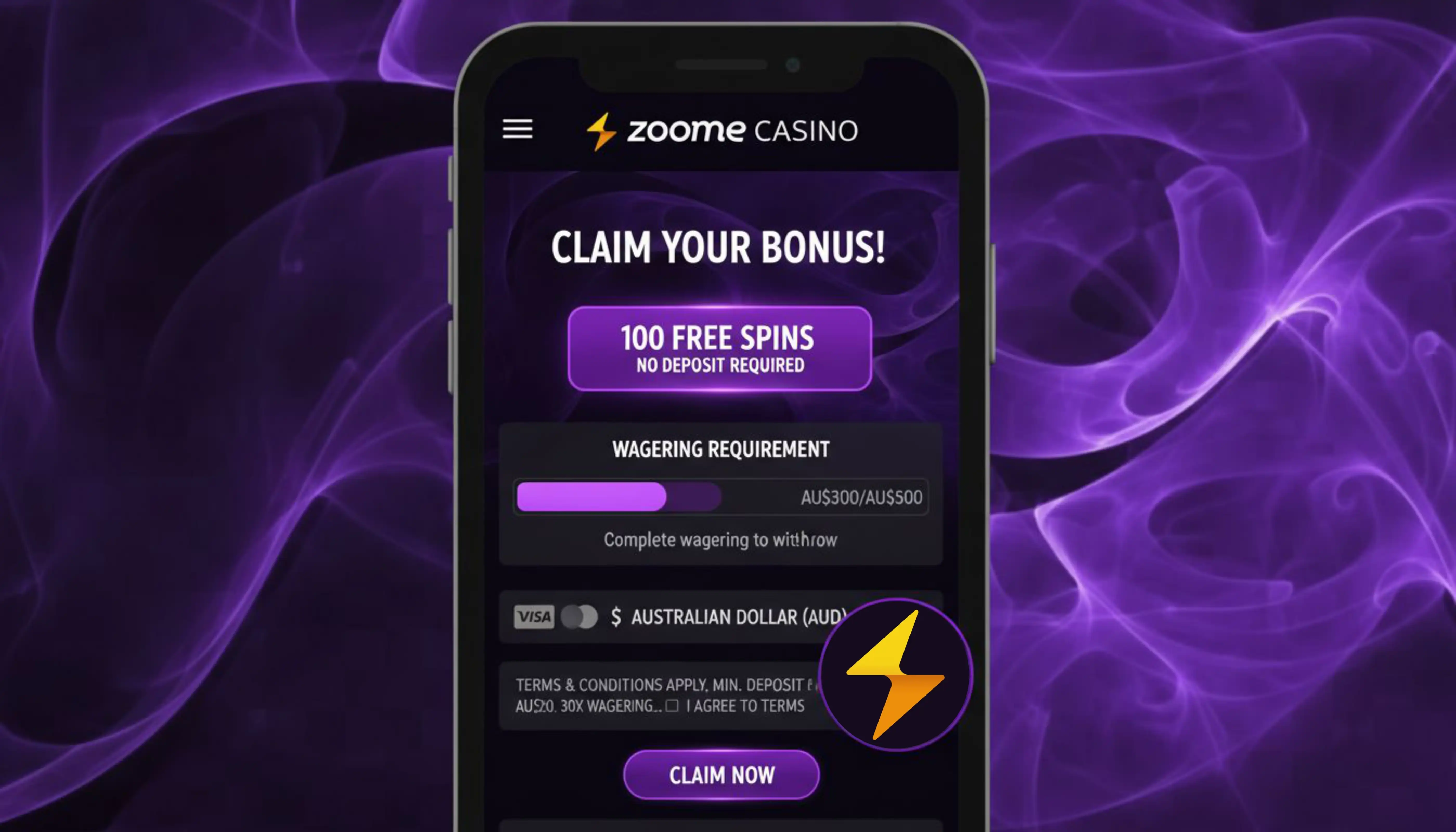

At Zoome Casino, we know most of our players want to spin, deal and win from their phones, not just their desktops. That's why we've built a fast, browser-based experience that works like a native app without the hassle of app store approvals or storage-hungry downloads. Below, we walk you through exactly how to get Zoome Casino app on your device, what you can expect once you're in, and why our mobile platform has become the preferred way to play for so many of our members.
Why Players Choose Our Mobile Platform
- No app store restrictions or approval delays
- Automatic updates - always the newest version
- Full game library, not a scaled-down mobile selection
- Same bonuses, loyalty points and VIP perks as desktop
- Secure encrypted connection for every transaction
- 24/7 access to live chat and WhatsApp support directly from your home screen icon
We've also built our loyalty program to work seamlessly across devices. Every wager you place through the app on slots earns CompPoints toward our ten-level ladder, worth up to 23,500 EUR in total rewards, free spins and cashback. Progress made on mobile carries over instantly to your desktop session, and vice versa.
Getting the Zoome Casino App on Your Device
We don't distribute our platform through Google Play or the App Store. Instead, we offer a Progressive Web App (PWA) that installs directly from your browser straight to your home screen. This means you get an app-like icon, full-screen gameplay and instant loading, all without the restrictions that app stores place on gambling platforms. It also means our Zoome Casino app download process takes less than a minute.
For Android Users
- Open Chrome and go to our official website
- Log in or register your account
- Tap the browser menu (three dots) in the top right corner
- Select 'Add to Home Screen' or 'Install App'
- Confirm, and the Zoome Casino icon will appear on your home screen
For iOS Users
- Open Safari and navigate to our casino site
- Sign in or create your account
- Tap the Share icon at the bottom of the screen
- Choose 'Add to Home Screen'
- Tap Add, and you'll have instant access to our full mobile lobby
Because this is a browser-installable experience, updates happen automatically in the background. You'll never need to manually download a new version - Zoome always keeps your app current with the latest games and features.
Signing In and Managing Your Account
Once installed, opening the app takes you straight to our login screen. We keep the process simple: enter your credentials, and you're back in your account with your balance, bonuses and game history exactly where you left them. If you haven't registered yet, our Zoome sign up form takes just a couple of minutes to complete, and you can verify your details later before your first withdrawal.
Game Library on Mobile
Our mobile lobby mirrors the full desktop catalogue, giving you access to more than 4,000 titles, including over 1,000 slots optimised for smaller screens without sacrificing graphics or speed. Whether you're after classic reels, jackpot slots, table games or live dealer tables, everything loads quickly thanks to the lightweight nature of our PWA.
- Slots from BGaming, Booongo, Betsoft Gaming, Playson and dozens of other studios
- Live dealer blackjack, roulette and baccarat from providers like Evoplay and TaDa Gaming
- Jackpot Slots with progressive prizes paid in full, outside normal withdrawal caps
- Crash games, instant win titles and video poker for quick sessions on the go
We've organised categories clearly - Pokies for our Australian players, Slots for our German audience - so navigation feels intuitive no matter where you're logging in from.
Payment Options in the App
Depositing and withdrawing through mobile works exactly as it does on desktop, with the same fast processing and no added fees. Here's a quick look at what's available:
| Method | Minimum Deposit | Minimum Withdrawal |
|---|---|---|
| Visa / Mastercard | 20 AUD | Not available for withdrawal |
| Bank Transfer | 85 AUD | 75 AUD |
| PayAnyBank | - | 75 AUD |
| Bitcoin | 0.0008 BTC | 0.0021 BTC |
| Ethereum | 0.01 ETH | 0.03 ETH |
| USDT | 20 USDT | 50 USDT |
Card and instant methods credit your balance right away, while bank transfers take about 24 hours. Cryptocurrency payments, processed through CoinsPaid, are among the fastest ways to move funds, and we never charge processing fees on either deposits or withdrawals.
Claim Your Welcome Bonus via the App
New players joining us through the mobile platform can claim the same generous three-part welcome package available on desktop. On your first deposit, we match 100% up to 1,500 AUD plus 100 free spins. Your second deposit brings a 50% match up to 1,125 AUD with 50 more spins, and your third unlocks another 100% match up to 1,125 AUD plus 100 additional spins. Altogether, that's up to 3,750 AUD and 250 free spins across your first three deposits, credited automatically with no bonus code required. Free spins run on 15 Dragon Pearls Hold and Win by BGaming and can also be enjoyed in Elvis Frog in Vegas, delivered in daily batches so you always have something to look forward to.
High rollers depositing 450 AUD or more on their first transaction can instead claim 125% up to 2,625 AUD. Every part of the package carries a 40x wagering requirement, and each bonus must be activated within a day and used within seven, so we recommend checking your account promptly after depositing through the app. For full details on all current offers, see our Zoome bonus page.
Security and Fair Play
We operate under a licence from the Tobique Gaming Commission, and this covers every version of our platform, including the mobile experience. Your data and transactions are protected with modern encryption, and because the app runs directly through your browser, there's no third-party app store code to worry about. KYC verification is required before your first withdrawal, which helps us keep every account secure and every payout legitimate.

Conclusion
We built our mobile experience so you never have to choose between convenience and quality. With instant installation, full access to our games, bonuses and loyalty rewards, and no app store limitations standing in your way, playing on the move has never been easier. Add Zoome Casino to your home screen today and carry our entire casino in your pocket.
FAQ
Do you have a native app for Android or iOS?
We don't offer a downloadable app through Google Play or the App Store. Instead, we provide a Progressive Web App that installs directly from your browser and behaves like a native app, complete with a home screen icon and full-screen play.
Is the Zoome Casino app download free?
Yes, installing our app costs nothing. You simply add it to your home screen through your browser, and there are no hidden charges for downloading or updating it.
Can I claim the welcome bonus through the app?
Absolutely. Our welcome package applies automatically to your first three deposits, whether you're playing through the app or on desktop. There's no separate bonus code needed for mobile users.
What devices support the Zoome Casino app?
We support both Android and iOS devices through their respective browsers - Chrome for Android and Safari for iOS. As long as your device has an updated browser, you'll be able to install and run our platform smoothly.
Are withdrawals as fast on mobile as on desktop?
Yes, we process withdrawals the same way regardless of device. Instant methods like cryptocurrency and PayAnyBank remain instant, while bank transfers still take about 24 hours on our side.
Do I need to verify my account before playing on mobile?
You can browse and play right after registering, but we do require identity verification before your first withdrawal. We recommend completing this early to avoid delays when it's time to cash out.
Content updated: August 22, 2026